Bits and Bytes

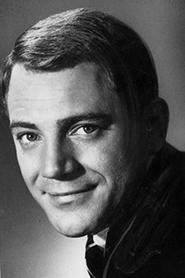
Bits and Bytes was the name for two Canadian television series, starring Billy Van, who teaches people the basics of how to use a computer. The first series debuted in 1983 and the second series, called Bits and Bytes 2, in 1991. The first series also included popular comedian Luba Goy as the instructor to Van. The intro sequence featured a montage of common computer terms such as "ERROR", "LOGO" and "ROM", as well as various snippets of simple computer graphics and video effects, accompanied by a theme song that very heavily borrows from the 1978 song Neon Lights by Kraftwerk. The series were produced by TVOntario. The Writer-Producers of Both Bits and Bytes and Bits and Bytes 2 were Denise Boiteau & David Stansfield. The original series featured an unusual presentation format whereby Luba Goy as the instructor would address Billy Van through a remote video link. The video link would appear to Luba who was seated in an office on a projection screen in front of her. She was then able to direct Billy who appeared on a soundstage with various desktop computer setups of the era. Popular systems emphasized included the Atari 800, Commodore PET, Tandy TRS-80, and Apple II. Each episode also included short animated vignettes to explain key concepts, as well as videotaped segments on various developments in computing. In the new 1991 series, Billy Van assumed the role of instructor and taught a new female student. As a decade had passed, the new series focused primarily on IBM PC compatibles running DOS and earlier versions of Windows, as well as the newer and updated technologies of that era.

Trailers & Videos

Thumbnail for video: Episode 11: Computers at Work

Episode 11: Computers at Work

Thumbnail for video: Episode 10: Computer Music

Episode 10: Computer Music

Thumbnail for video: Episode 8: Simulations and Games

Episode 8: Simulations and Games

Thumbnail for video: Episode 7: Computer-Assisted Instruction

Episode 7: Computer-Assisted Instruction

Thumbnail for video: Episode 1: Getting Started

Episode 1: Getting Started

Thumbnail for video: Episode 3: How Programs Work

Episode 3: How Programs Work

Thumbnail for video: Episode 4: File and Data Management

Episode 4: File and Data Management

Thumbnail for video: Episode 5: Communication Between Computers

Episode 5: Communication Between Computers

Thumbnail for video: Episode 6: Computer Languages

Episode 6: Computer Languages

Thumbnail for video: Episode 2: Ready-Made Programs

Episode 2: Ready-Made Programs

Seasons

12 Episodes • Premiered 1983

Still image for Bits and Bytes season 1 episode 1: Getting Started

1. Getting Started

The basic introduction for computer operations and the most fundamental concepts of computers are discussed.

Still image for Bits and Bytes season 1 episode 2: Ready-Made Programs

2. Ready-Made Programs

The basic concepts of how to load and use software and how the computer uses it internally are discussed.

Still image for Bits and Bytes season 1 episode 3: How Programs Work

3. How Programs Work

The basic nature and mechanics of computer programming are explained.

Still image for Bits and Bytes season 1 episode 4: File & Data Management

4. File & Data Management

The ways of how computers store and organize information are explored.

Still image for Bits and Bytes season 1 episode 5: Communication Between Computers

5. Communication Between Computers

The mechanics of inter-computer communications and related networks are explored.

Still image for Bits and Bytes season 1 episode 6: Computer Languages

6. Computer Languages

Various computer languages, their related mechanisms and how they aid in operating computers efficiently are discussed.

Still image for Bits and Bytes season 1 episode 7: Computer-Assisted Instruction

7. Computer-Assisted Instruction

The uses of computers in education are explored while the nature and limits of artificial intelligence is explored.

Still image for Bits and Bytes season 1 episode 8: Games & Simulations

8. Games & Simulations

The nature of computer games and simulation programs as well as their practical applications are explored.

Still image for Bits and Bytes season 1 episode 9: Computer Graphics

9. Computer Graphics

The elements of computer graphics are explored as well as related interfaces and presentation technologies.

Still image for Bits and Bytes season 1 episode 10: Computer Music

10. Computer Music

The nature of computer generated sound, such as music and voice generation, is examined.

Still image for Bits and Bytes season 1 episode 11: Computers at Work

11. Computers at Work

Work related computer applications like word processing and spreadsheets, are explored.

Still image for Bits and Bytes season 1 episode 12: What Next?

12. What Next?

The future potential and concerns of computers are explored.

Cast

Reviews

No reviews available yet.